Development-aware scan
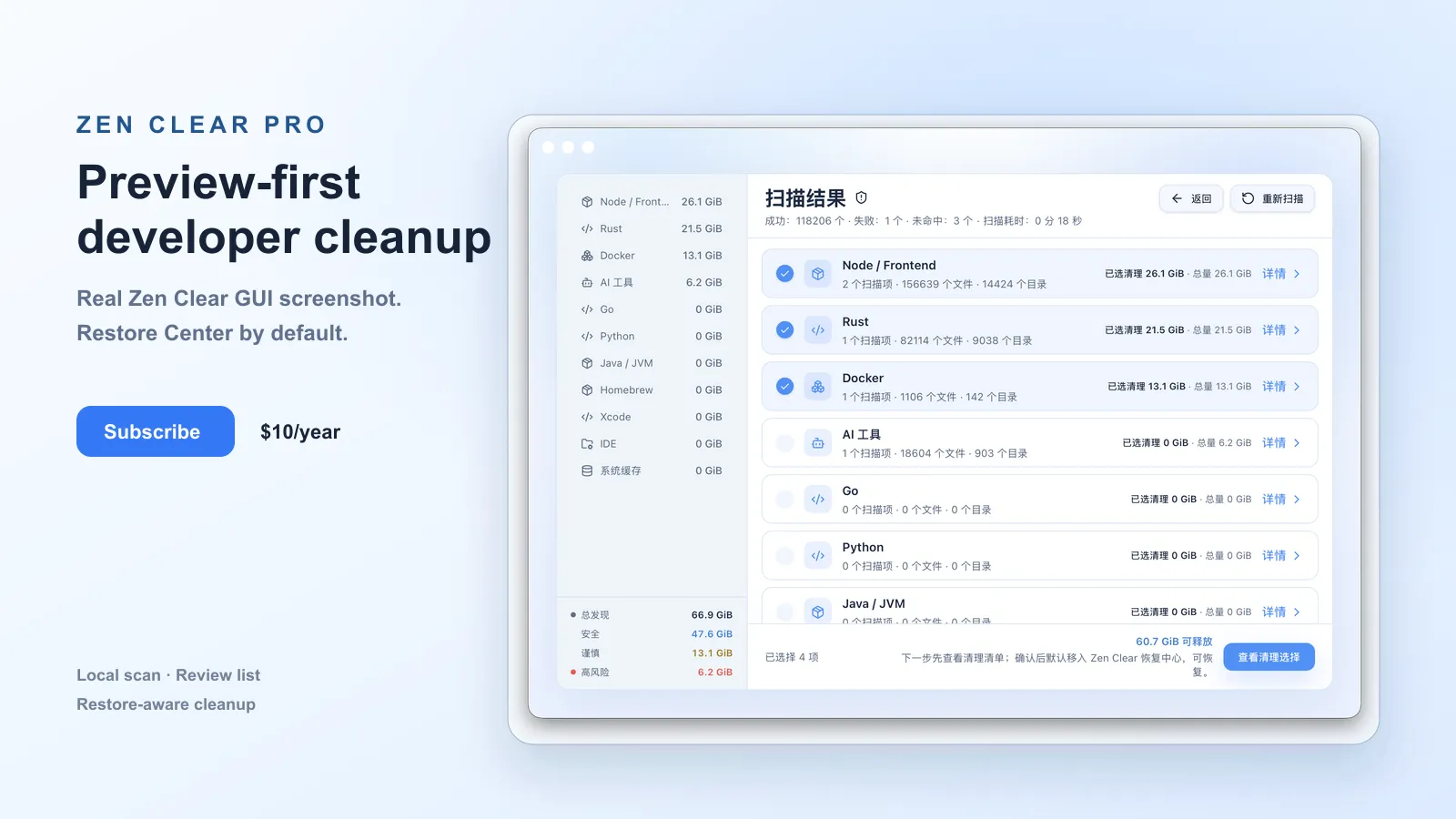
Covers Node, Rust, Go, Python, JVM, Homebrew, Docker, Xcode, IDEs, AI tools and system cache.
 RustzenOpen-source work
Native macOS cleaner for developers
A native macOS disk cleanup app for developers. It scans package caches, build outputs, AI tool state, and local development residue, then explains what can be cleaned before any action runs.
Beta · macOS 13+ · Universal · Restorable
The hidden cost of dev
How it works
One pass across package managers, IDEs, Docker, Xcode, AI tools and system cache.
Every item is marked Safe, Caution, or Danger — with an explanation, not just a size.
See exactly what will be cleaned before anything runs. Default cleanup goes to Zen Clear Restore Center, where you can restore items or permanently remove them later.
Why Rustzen Clear
Covers Node, Rust, Go, Python, JVM, Homebrew, Docker, Xcode, IDEs, AI tools and system cache.
Connects generated data back to the project or tool that produced it, not just a path.
Every item is graded Safe, Caution, or Danger so you clean with intent.
Review recoverable items, restore them, or permanently delete selected entries when you are ready.
Risk-grade everything
Rebuildable cache or temporary data — usually safe to remove.
May affect your local development workflow — review first.
Potentially important data — not selected by default.
Pricing
Scan & preview, forever.
$0/forever
Clean safely, across your machines.
$10/year
FAQ
Safety, compatibility, Restore Center, and Pro billing in one place.
Cleanup is preview-first. Nothing is removed until you confirm, and every item is risk-graded. Default cleanup moves recoverable changes into Zen Clear Restore Center, not macOS Trash or direct permanent deletion. From there, you can restore items or permanently delete selected entries.
Zen Clear runs on macOS 13 Ventura and later, as a Universal binary (Apple silicon + Intel).
Restore Center keeps recoverable cleanup items until you restore or permanently delete them. Zen Clear surfaces Restore Center storage in disk analysis so retained items are visible instead of silently growing forever.
Node, Rust, Go, Python, JVM, Homebrew, Docker, Xcode, IDEs (VS Code, Cursor, JetBrains), AI tool state, and system caches.
No. macOS disk and folder permission setup, automatic update checks, and manual update checks are available without a license. Pro is required for advanced scan configuration such as rules, exclusions, custom rules, and scheduled scans.
Pro is a $10/year subscription billed via Creem. It activates on up to 3 devices and renews annually; cancel anytime.